

What Changed
Two pages in the Merchant Dashboard now use the new dashboard design.
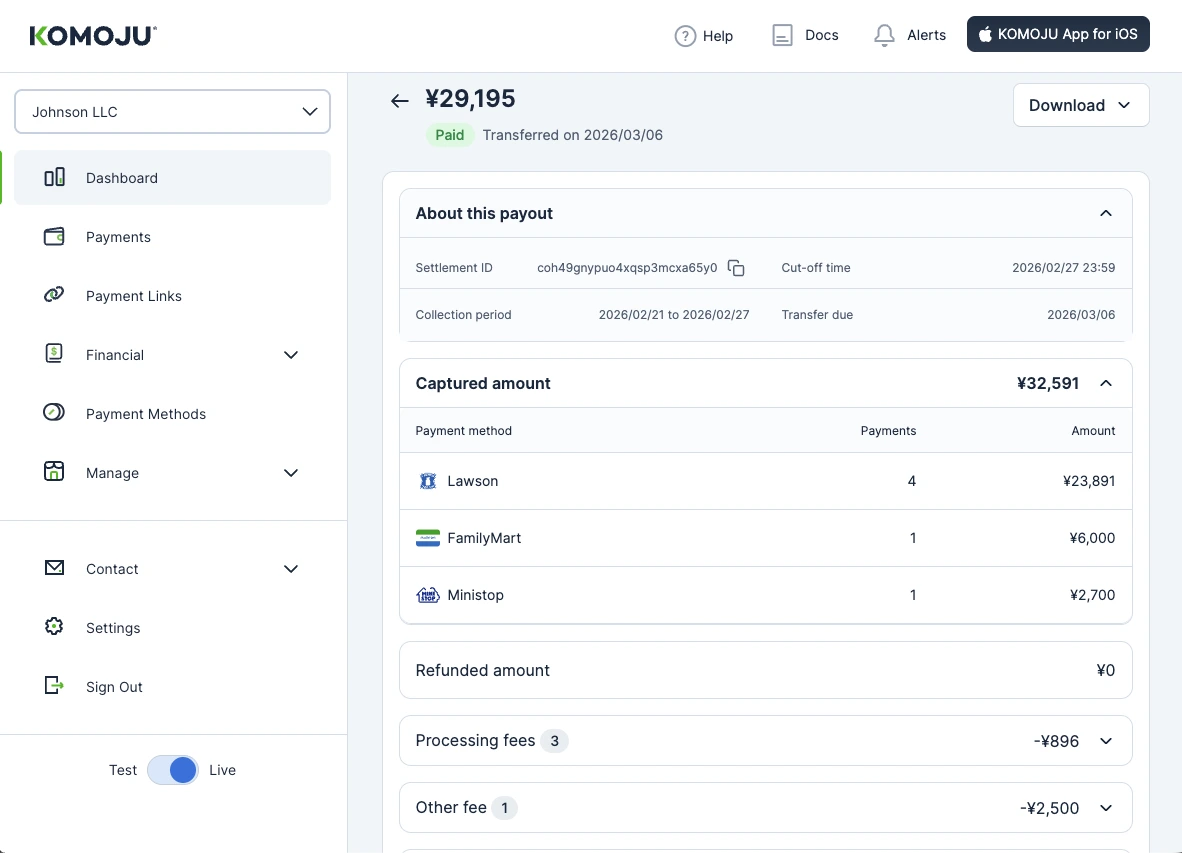
To open the Settlement Details page, select any payout row on the Balances & Payouts page. The page shows the full settlement breakdown in one view:
- Captured and refunded amounts, processing fees, chargebacks, and KOMOJU Card charges, which add up to the payout amount shown at the top of the page
- One section per line item type, with item counts shown as badges
- Collapsible sections on mobile, available in English and Japanese
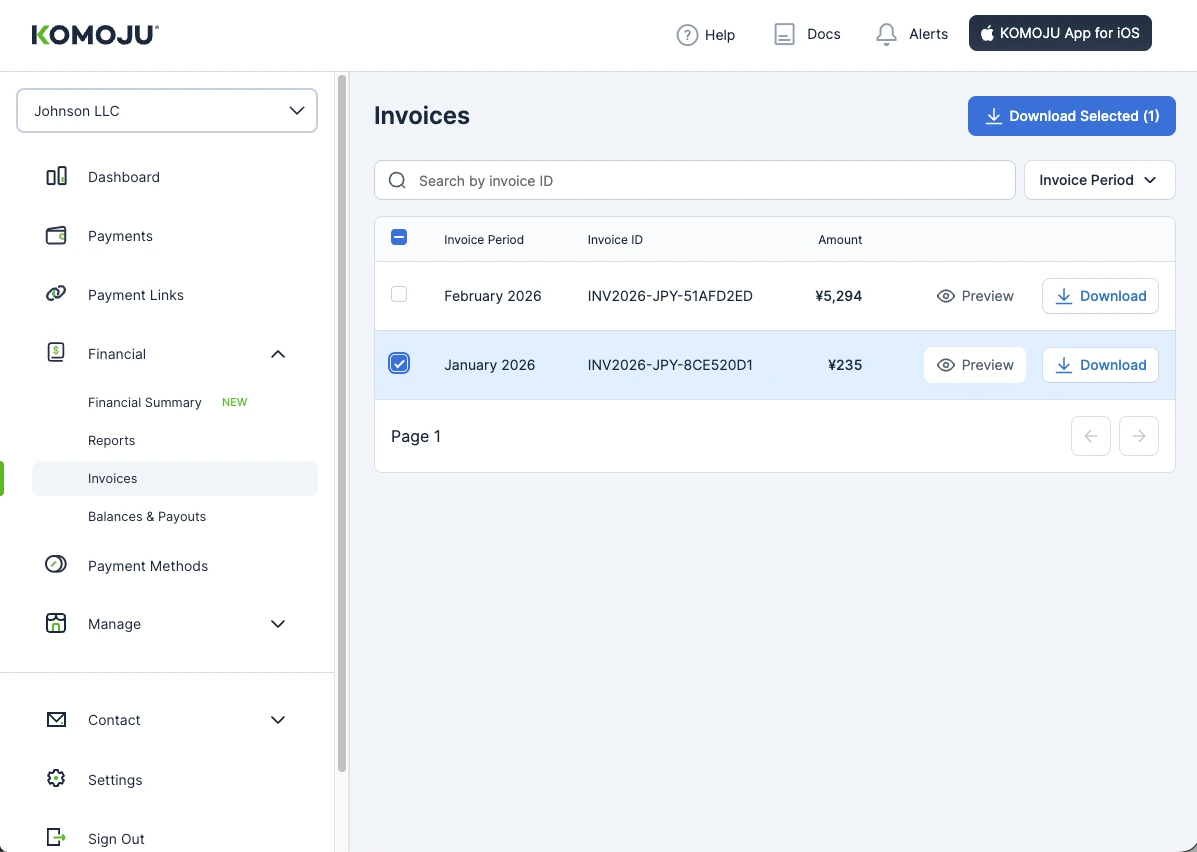
The Invoices page includes:
- Search and filters with date presets, including partial matches on invoice ID
- Invoice amounts in the list, so you can check a total without opening the PDF
- PDF preview before download
- Bulk download of multiple selected invoices
- A mobile layout for viewing and downloading invoices
Invoice PDFs were also updated. Long company names and address lines no longer overlap, and the Japanese invoice layout has been corrected.
Merchant Impact
You can check how a payout was calculated without exporting a CSV. Finding and downloading invoices for accounting also takes fewer steps in the dashboard. Invoice contents and billing are unchanged.